
• Updated on 5 Oct, 2026 by Sounak Pyne
What's new?
SNAP Latest news and articles
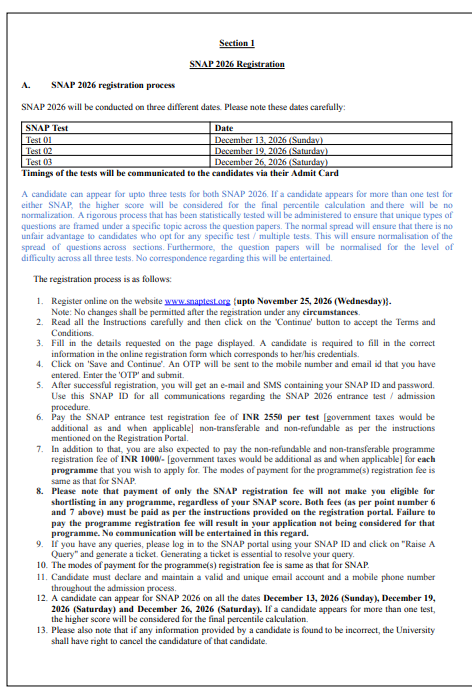
SNAP Registration 2026 is open from August 21 to November 25, 2026. Candidates must complete the online application at snaptest.org by entering their personal and academic details, selecting test dates and paying the applicable fee. Candidates can appear for up to three SNAP tests, with the higher score considered for the final percentile. They must also complete separate registration and fee payment for each Symbiosis MBA programme they wish to apply for.
SNAP EXAM 2026 register directly (Click Here)
Check: SNAP Exam 2026
- SNAP Registration 2026 Dates
- SNAP Registration Eligibility 2026
- How to Register for SNAP 2026?
- SNAP Registration Fee 2026
- SNAP Registration 2026 Payment Modes
- Documents Required for SNAP Registration 2026
- SNAP 2026 Test Date and City Selection
- SNAP Programme Registration 2026
- SNAP Registration 2026: Important Instructions
- SNAP Registration Login 2026
- SNAP Registration 2026 FAQs
SNAP Registration 2026 Dates
The SNAP 2026 registration process includes application, fee payment and programme registration. Candidates must complete these steps before the applicable deadline.
| Event | Date |
| SNAP Registration Begins | August 21, 2026 |
| SNAP Registration and Payment Last Date | November 25, 2026 |
| SNAP Test 1 | December 13, 2026 |
| SNAP Test 2 | December 19, 2026 |
| SNAP Test 3 | December 26, 2026 |
| SNAP Result | January 12, 2027 |
Note: Candidates should complete registration early because test date and test city availability depends on the available slots. No request for a test date or city change is accepted after payment.
Check: SNAP Dates 2026
SNAP Registration Eligibility 2026
Candidates should check the eligibility criteria of their preferred MBA programme before completing SNAP registration. Most participating programmes require graduation from a recognised university with the prescribed minimum marks.
The general eligibility requirement is 50% marks for candidates from the unreserved category and 45% for SC/ST candidates. Some specialised programmes have additional requirements.
Check: SNAP Eligibility Criteria 2026
Important: Paying the SNAP test fee does not automatically make a candidate eligible for every Symbiosis MBA programme. Candidates must check the eligibility requirements of each programme they select.
How to Register for SNAP 2026?
Candidates must complete SNAP registration through the official SNAP portal. The process includes account creation, OTP verification, test fee payment and separate programme registration.
The steps to complete SNAP Registration 2026 are given below:
| Step | Registration Process | Details |
| Step 1 | Visit the official SNAP website | Go to snaptest.org and click on the Register option. |
| Step 2 | Read the instructions | Read the registration instructions and terms and conditions before proceeding. |
| Step 3 | Enter personal details | Enter the required personal, contact and academic details in the application form. |
| Step 4 | Save and Continue | Click on Save & Continue after entering the required details. |
| Step 5 | Complete OTP verification | Enter the OTP received on the registered mobile number and email address to complete verification. |
| Step 6 | Receive SNAP ID and password | After successful verification, candidates receive their SNAP ID and password through the registered communication details. |
| Step 7 | Select SNAP test dates | Select the preferred SNAP test dates. Candidates can appear for up to three SNAP tests. |
| Step 8 | Select the test city | Choose the preferred test city from the available options based on slot availability. |
| Step 9 | Upload the photograph | Upload a recent scanned colour passport-size photograph that is not more than six months old. |
| Step 10 | Pay the SNAP test fee | Pay the applicable SNAP registration fee for each selected test. |
| Step 11 | Select MBA programmes | Choose the Symbiosis MBA programme or programmes you want to apply for. |
| Step 12 | Pay the programme fee | Pay the separate programme registration fee for each selected MBA programme. |
| Step 13 | Review the application | Check the personal details, test selection, programme selection and payment details carefully. |
| Step 14 | Complete registration | Submit the application after verifying all details and save the registration and payment details for future reference. |
Important: Candidates should verify all details before completing registration because changes are not permitted after submission.
|
Can SNAP Registration Details Be Changed After Submission?No. Candidates cannot make changes after completing SNAP registration.
The official registration instructions state that changes are not permitted after registration under any circumstances.
Candidates should therefore verify their name, contact details, academic information, photograph, test selection and programme selection before completing the process. |
SNAP Registration Fee 2026
Candidates must pay the SNAP test registration fee separately for every test they choose. A separate programme registration fee applies to each MBA programme selected.
| Fee Component | Amount |
| SNAP Test Registration Fee | INR 2,550 per test |
| MBA Programme Registration Fee | INR 1,000 per programme |
| Government Taxes | Applicable extra |
Note: Both the SNAP test registration fee and programme registration fee are non-refundable and non-transferable. Paying the SNAP test fee alone does not complete the application for an MBA programme.
Candidates who appear for all three tests must pay the test fee for each selected attempt.
SNAP Registration 2026 Payment Modes
Candidates can pay the SNAP registration fee through the payment options provided by the official registration portal.
The available payment modes include:
- BillDesk Payment Gateway
- Easebuzz Payment Gateway
- Demand Draft
For Demand Draft payment, candidates must follow the instructions given by the Symbiosis Test Secretariat.
Important: A Demand Draft of INR 2,550 per test, plus applicable government taxes, must reach the Symbiosis Test Secretariat by the prescribed deadline. Candidates should follow the official DD instructions before sending the payment.
Documents Required for SNAP Registration 2026
Candidates need to upload a recent photograph during the SNAP registration process.
| Document | Requirement |
| Passport-size photograph | Latest scanned colour photograph |
| Photograph age | Not more than six months old |
Note: Candidates should upload a clear photograph that meets the specifications shown on the SNAP registration portal. They should check the preview before completing registration.
SNAP 2026 Test Date and City Selection
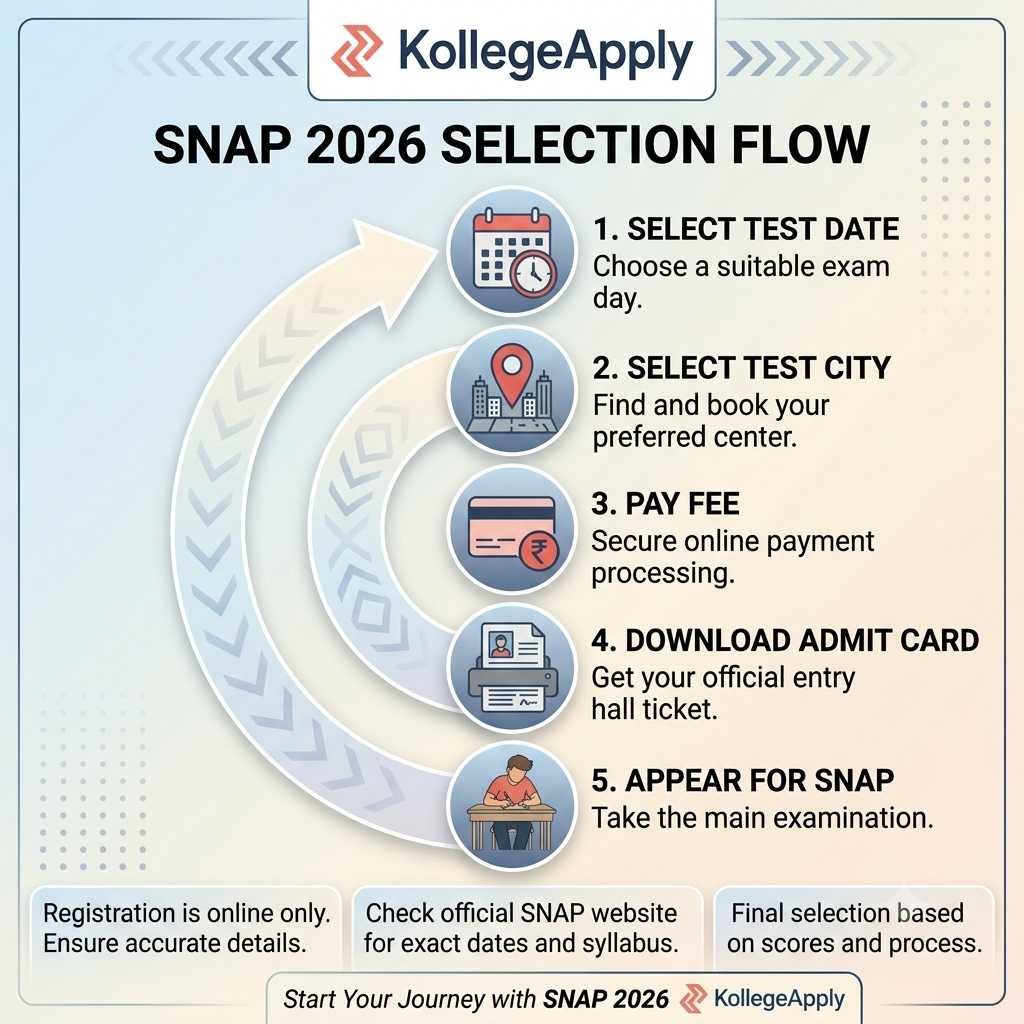
Candidates must select their preferred SNAP test date and test city while completing the registration form. SNAP 2026 offers three test dates, and candidates can appear for up to three tests.
| Registration Choice | SNAP 2026 Details |
| Test 1 | December 13, 2026 |
| Test 2 | December 19, 2026 |
| Test 3 | December 26, 2026 |
| Maximum Attempts | Up to 3 SNAP tests |
| Test City | Select from available cities during registration |
| City Allocation | Subject to availability |
| Date Selection | Subject to available slots |
| Change After Payment | Not permitted |
| Test Timing | Mentioned on the respective admit card |
| Test Centre | Mentioned on the respective admit card |
Important: Candidates should select their test dates and city carefully before making the payment. The selected test date and city cannot be changed after payment.
SNAP 2026 Selection Flow
Also Check: SNAP Exam Centres 2026
SNAP Programme Registration 2026
After completing SNAP test registration, candidates must select the Symbiosis MBA programme or programmes they want to apply for. They can choose multiple programmes based on their preferred institute and course.
For every selected programme, candidates must complete the programme registration and pay INR 1,000 plus applicable government taxes. The programme fee is separate from the SNAP test fee and applies to each programme selected.
Candidates should check the programme-specific eligibility requirements before making the payment. The selected programmes will be considered during the admission process based on the candidate's SNAP performance and applicable institute criteria.
SNAP Registration 2026: Important Instructions
Candidates should follow these instructions while filling out the SNAP application form:
- Use an active mobile number and email address.
- Enter accurate personal and academic information.
- Complete OTP verification before proceeding.
- Upload a recent colour passport-size photograph.
- Select test dates carefully.
- Select the preferred test city based on availability.
- Pay the SNAP test fee for every selected attempt.
- Select each MBA programme separately.
- Pay the programme registration fee for every selected programme.
- Verify all details before final submission.
- Save the SNAP ID, password and payment details.
Note: No changes are permitted after registration. Candidates should check the complete application before making the final payment.
SNAP Registration Login 2026
Candidates receive their SNAP ID and password after completing the initial registration and verification process. These credentials allow candidates to access the SNAP application portal, complete the remaining registration requirements and check application-related updates. Candidates should keep their registered mobile number and email address active throughout the application process for communication and password recovery.
How to Recover SNAP Registration 2026 Password?
Candidates who forget their SNAP login password can use the password recovery option available on the official SNAP portal.
The basic process is:
- Visit the official SNAP website.
- Click on the login option.
- Select the Forgot Password option.
- Enter the required registration details.
- Complete the verification process.
- Create a new password.
- Log in using the updated credentials.
What After SNAP Registration 2026?After completing SNAP registration, candidates should download their admit card when it becomes available and appear for the selected test or tests.
The SNAP 2026 admit cards will be released separately for the three tests. |
Read Related: SNAP Exam Pattern 2026 | SNAP Admit Card 2026
SNAP Registration 2026 FAQs
When did SNAP Registration 2026 start?
SNAP Registration 2026 started on August 21, 2026, through the official SNAP website.
What is the last date for SNAP Registration 2026?
The last date to complete SNAP registration and payment is November 25, 2026.
What is the SNAP Registration Fee 2026?
The SNAP test registration fee is INR 2,550 per test, plus applicable government taxes.
What is the SNAP programme registration fee?
Candidates must pay INR 1,000 per selected MBA programme, plus applicable government taxes.
Can I apply for three SNAP tests?
Yes. Candidates can appear for up to three SNAP tests.
Do I have to pay the SNAP fee for each attempt?
Yes. Candidates must pay INR 2,550 for each selected SNAP test, plus applicable government taxes.
Is the SNAP test fee enough for MBA programme registration?
No. Candidates must separately select their preferred MBA programmes and pay the applicable programme registration fee.
What photograph is required for SNAP registration?
Candidates must upload a recent scanned colour passport-size photograph that is not more than six months old.
Can I change my SNAP test city after payment?
No. Candidates cannot request a change in the test city after paying the SNAP registration fee.
Can I change my SNAP test date after registration?
No. Candidates cannot change their selected test date after payment.
Can I edit my SNAP application after submission?
No. Changes are not permitted after registration. Candidates should verify all details before completing the application.
What payment modes are available for SNAP Registration 2026?
Candidates can pay through BillDesk, Easebuzz or Demand Draft as per the official payment instructions.
What happens after SNAP Registration 2026?
Candidates can download their respective admit card, appear for the selected SNAP test or tests and complete the admission process for their selected MBA programmes.
Exam Calendar
Explore exam calendars tailored to your interest